
Texting that turns inquiries into signed proposals.
Answer every new facility inquiry the moment it comes in.
Voxie texts prospects from your own number, keeps the conversation moving after the walkthrough, and follows through on every proposal until it closes.
Stratus Clean × Voxie training session
Watch the full training recording right here.
Training Starts Here
Everything your team needs to run Voxie, on demand. Dig into the automated prospect journeys and feature walkthroughs below.
Core Voxie features at a glance
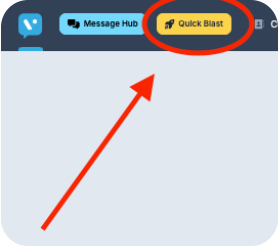
Quick Blast for 1-to-Many Campaigns
Quick blast messages and marketing campaigns deliver timely, targeted communications that drive engagement and action in bulk.
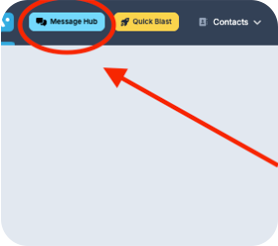
Message Hub for 1-to-1 texting
Message Hub streamlines texting inbox management by providing a centralized, highly visible platform to efficiently track, organize, and respond to customer conversations.
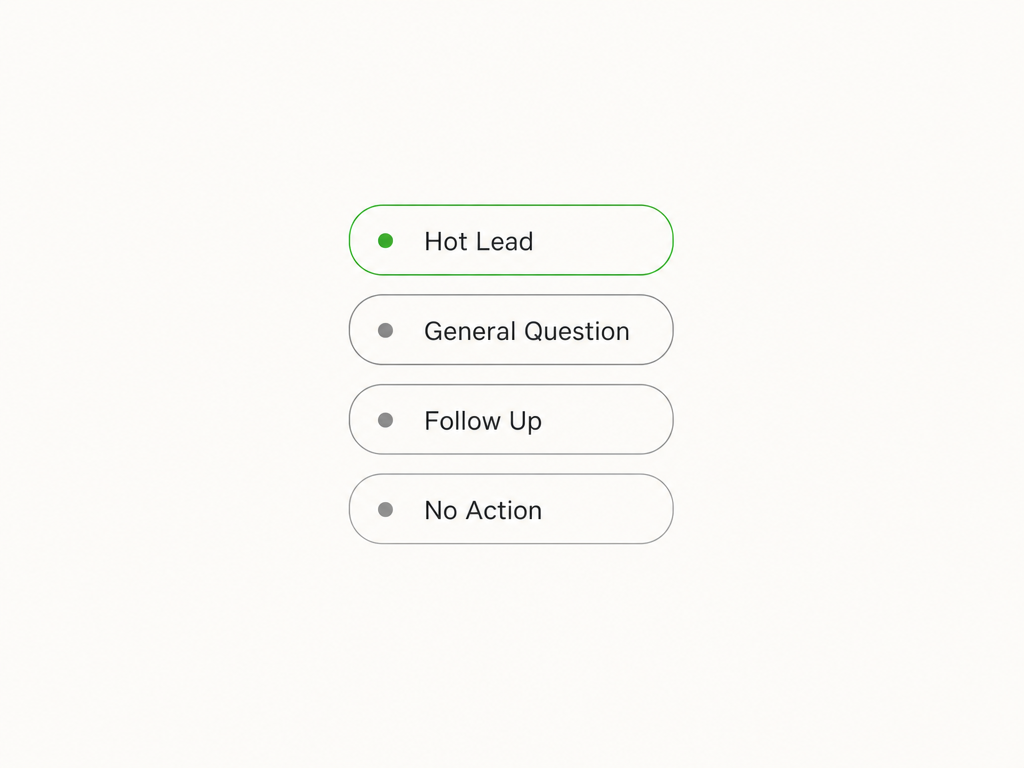
Intelligent Inbox
Intelligent Inbox automatically categorizes every conversation in your Message Hub so your team can see which replies are closest to revenue. Prospects asking about a walkthrough or proposal rise to the top, threads that need a circle-back are grouped together, and no-action conversations stay out of the way.
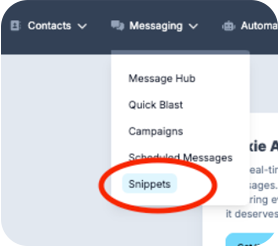
Templates (Snippets)
Snippets are message templates that enable you to quickly craft impactful texting messages that save time and ensure consistency.
The Message Showroom
Every automated message a prospect receives, in the order they receive it — from the first inquiry through the proposal follow-up. All sent from your own number, within safe-sending hours, and stopped automatically as soon as they reply.
New Inquiry Response
A new facility inquiry gets a text from your own number in real time, before they call the next vendor.
Proposal Follow-Through
Once the PandaDoc proposal goes out, Voxie keeps checking in so it never sits unread.
Graceful Close
A final low-pressure touch protects the relationship — and the whole sequence stops the moment they reply.
New Cleaning Lead
Fires the moment a new facility inquiry comes in, so the prospect hears from Stratus Clean before they move on to the next vendor. Compliance terms go out first, then an immediate response with the booking link, a nudge within the hour, and a value-led follow-up the next day if there's still no reply or link click.
Opt-in confirmation and compliance terms
Acknowledge the request and offer a walkthrough · fills from first_name, group name, booking_link
Low-friction invitation to ask questions
Value reminder with the booking link · fills from first_name, booking_link
Proposal Sent
Triggered when a proposal goes out through PandaDoc. Four touches keep the conversation warm while the prospect reviews, invite questions and adjustments, and close gracefully if the timing isn't right. The sequence stops as soon as they reply or sign.
Thanks for meeting — proposal is on its way · fills from first_name
Invite feedback and adjustments
Earn the business — anything changed? · fills from first_name
Graceful close
Day counts are measured from the moment a contact enters that lifecycle status. Merge fields like [First Name] are personalized per contact.
Crafting a Great Marketing Message
Crafting a great texting marketing message involves being concise, engaging, and action-oriented while providing value to your audience.
A successful message grabs attention quickly, speaks directly to the recipient, and encourages immediate action with a clear call-to-action (CTA). Personalization and timing are also key factors in creating a message that resonates and drives results.
Top Tips for Great Texting Marketing Messages
Keep It Short and Sweet
Don't make prospects dig for the offer or the core message. One to two sentences is best with plenty of spacing.
Personalize Your Message
Include the recipient's name or tailor the content to their facility and interests.
Use a Strong CTA
Link to your quote request page so the reader can immediately take action.
Create a Sense of Urgency
Encourage quick action with time-sensitive offers or limited scheduling availability.
Adhere to Safe Sending Hours
Legal safe sending hours are 8AM to 8PM but we recommend 9AM to 7PM just to be safe.
Mind Your Message Frequency
We recommend 1-4 Quick Blasts per month for the highest engagement and conversion - enough to stay top of mind without overwhelming your contacts.
Good Message Example
Why it's good:
- Personalized with [First Name].
- Highlights the value of the visit (an accurate scope for their facility).
- Creates a sense of timing with a specific day and time.
- Includes a clear call-to-action with a booking link.
Ineffective Message Example
Why it's bad:
- Generic and lacks personalization.
- No clear value for the prospect.
- Too vague ("stop by" with no specifics).
- Misses an opportunity for a direct link or clear action.
Mobile App for iOS & Android
Stay connected with your customers anywhere. Send messages, respond to conversations, and manage your campaigns from your phone with the Voxie mobile app.

Message Hub Chrome Extension
Start a conversation with any phone number in your browser. Send pre-built snippets to customers, reply to incoming messages, and more to streamline conversations.
Read our help center article →Contact and Support
We're here to help!
For any technical issues or support inquiries, please reach out to our support team at support@voxie.com. We're excited to partner with you.
When logged into the Voxie platform, click the question mark icon in the lower-right corner to start a live chat with our support team for the fastest assistance.